PRODUCT WALKTHROUGH
See the work. Follow the record.
Explore current product screens with fictional project data, then follow a refurbishment from the first questions to handover. Each step explains the work, the reason and the record.
Start with an information gap.
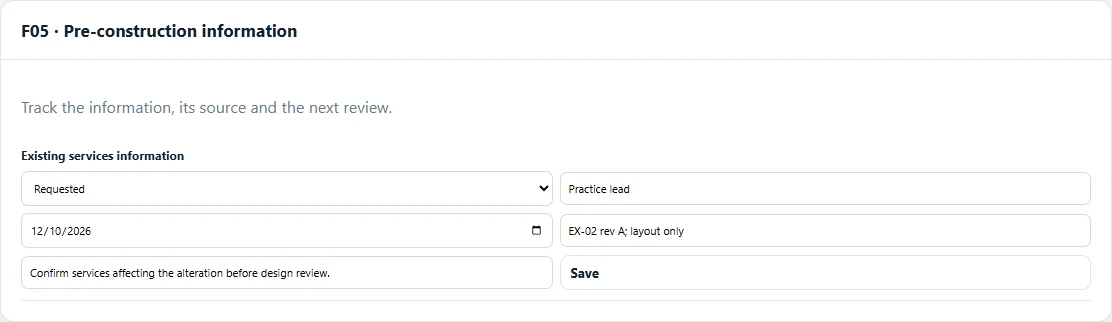
Here the practice is waiting for suitable services information. The tracker connects the question to an owner, review date and source reference.
Follow the six project steps.
01Understand the projectFacts to review
A fictional studio is preparing a refurbishment. The team records the client type, likely contractor arrangements and the project context before deciding which duties and appointments need attention.
The project circumstances inform the dutyholder route. A software answer does not make or validate an appointment.
The record to keep
Project screening record, reviewed by the practice lead.
02Communicate and record client dutiesIssue to record
The team prepares client duties information, reviews it for this project and sends it to the client. It records the recipient, date, method and supporting evidence only after that event has happened.
A prepared document is not evidence that the client received or understood it. Keep preparation, actual issue and acknowledgement distinct.
The record to keep
Saved draft, actual issue record and evidence reference.
03Identify the information gapsInformation needed
The studio has drawings but needs to clarify the available existing-building information. It creates a PCI item, assigns an owner and records the date for review.
An information gap can affect a design decision. The team must decide what is needed and how the gap affects the work.
The record to keep
PCI tracker item with linked survey or other source information.
04Review a design riskDesign review
A design option depends on the existing structure. The reviewer records the concern, information considered, design decision and residual information that needs to reach others.
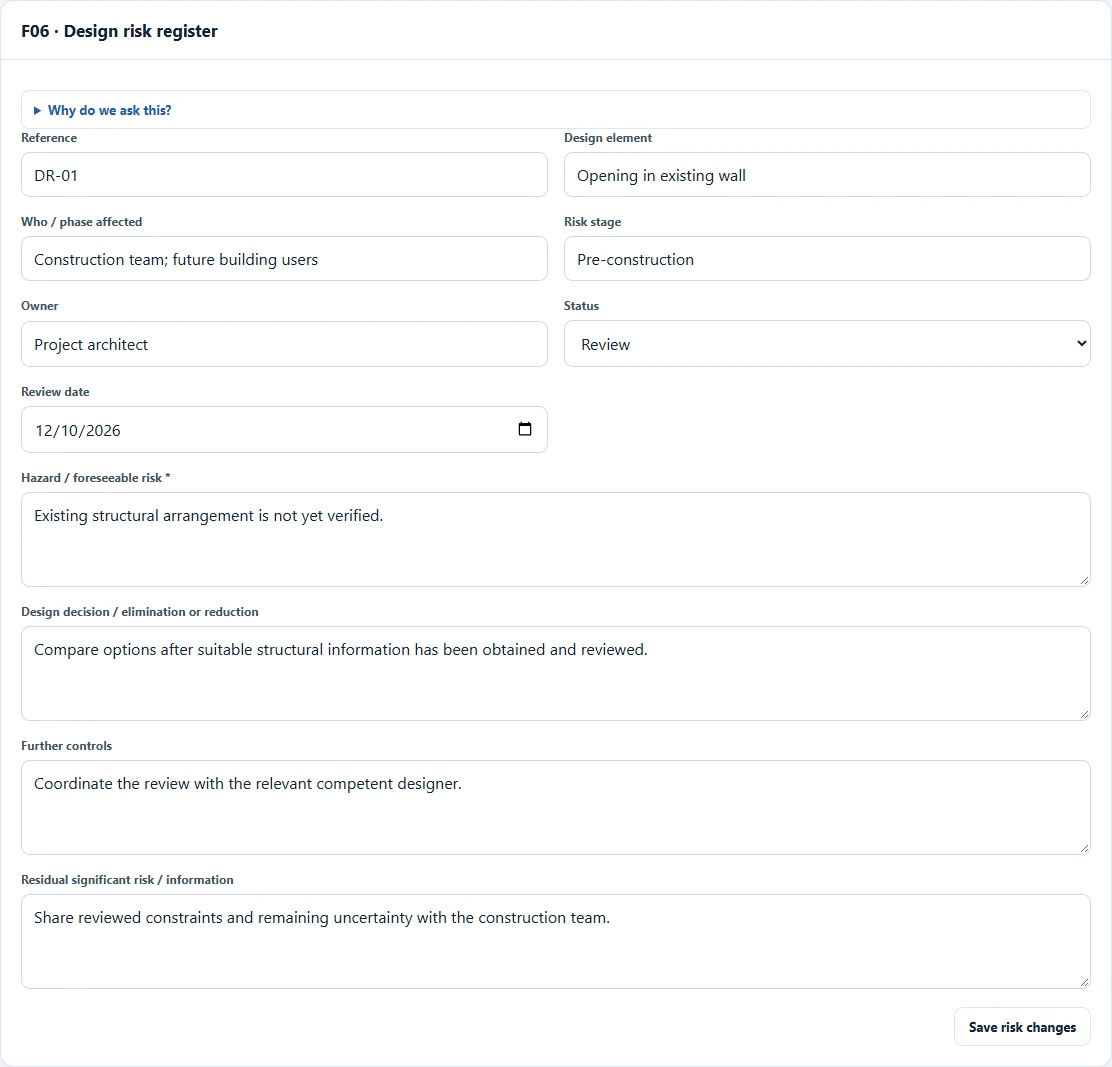
A useful risk record explains the design response and communication. A score or checked box alone does not show what was considered.
The record to keep
Design risk entry, review details and supporting evidence.
05Coordinate the construction interfaceHandover review
Before work starts, the team reviews the recorded appointment position, information for the construction team and outstanding actions. Construction Phase Plan review activity is recorded in its appropriate scope.
The relevant dutyholders still need to carry out their responsibilities. A workflow status does not authorise construction to begin.
The record to keep
Handover record, information references and outstanding actions.
06Bring the record through to closeoutCloseout review
The team reviews changes, closes resolved actions and checks the Health & Safety File tracking where applicable. It reviews the project report and the linked evidence before handover.
The final record should be useful to the people who need it. A report is a record of the information entered, not a certification.
The record to keep
Closeout and Health & Safety File tracker records, with evidence references.